Text Area:


GO BACK TO HOME

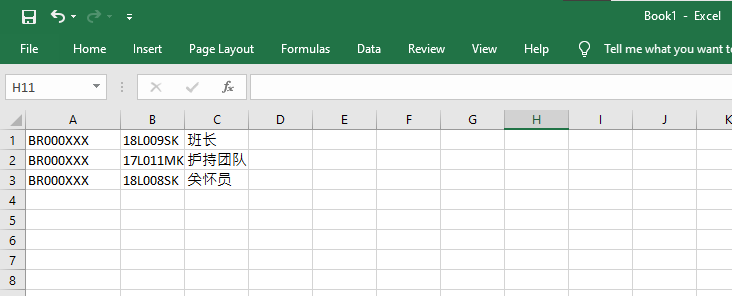
  1. Prepare an Excel file (see Figure 1), with
    1. Column 1: Student ID,
    2. Column 2: Class which he or she is responsible for,
    3. Column 3: Position
  2. Save the excel file as Unicode text (.txt) (see Figure 2)
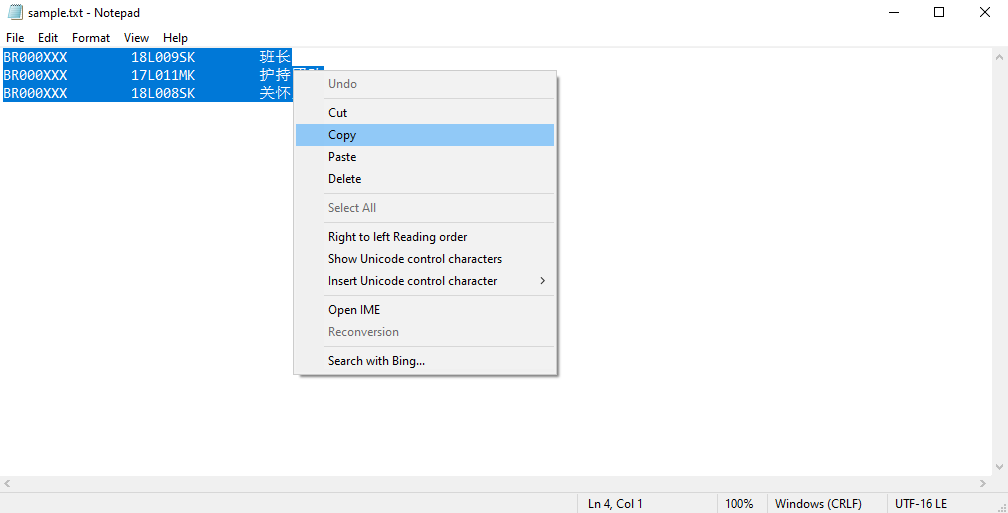
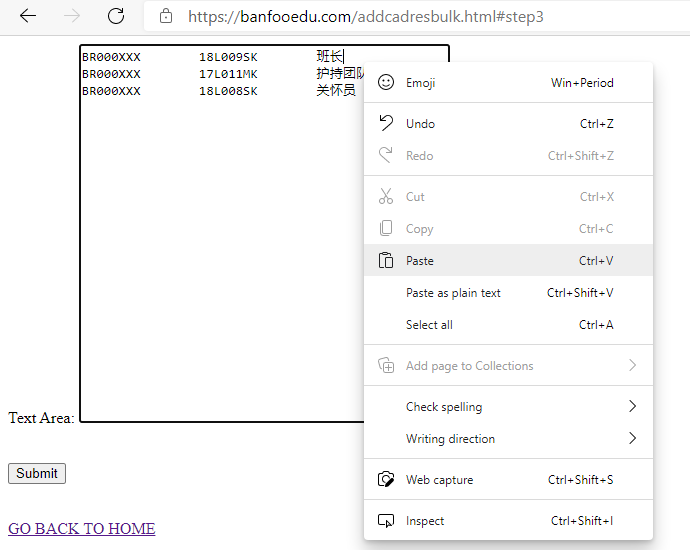
  3. Open the saved text file, copy all the contents of the text file (see Figure 3), and paste them in the text box provided above (see Figure 4). Click Submit then.


Figure 1: Adding students using Excel file (Click the above image to enlarge)
Go back to top


Figure 2: Save as Unicode text file. (Click the above image to enlarge)

Go back to top


Figure 3: Copy contents from the saved text file. (Click the above image to enlarge)

Go back to top


Figure 4: Paste contents from the saved text file. (Click the above image to enlarge)

Go back to top