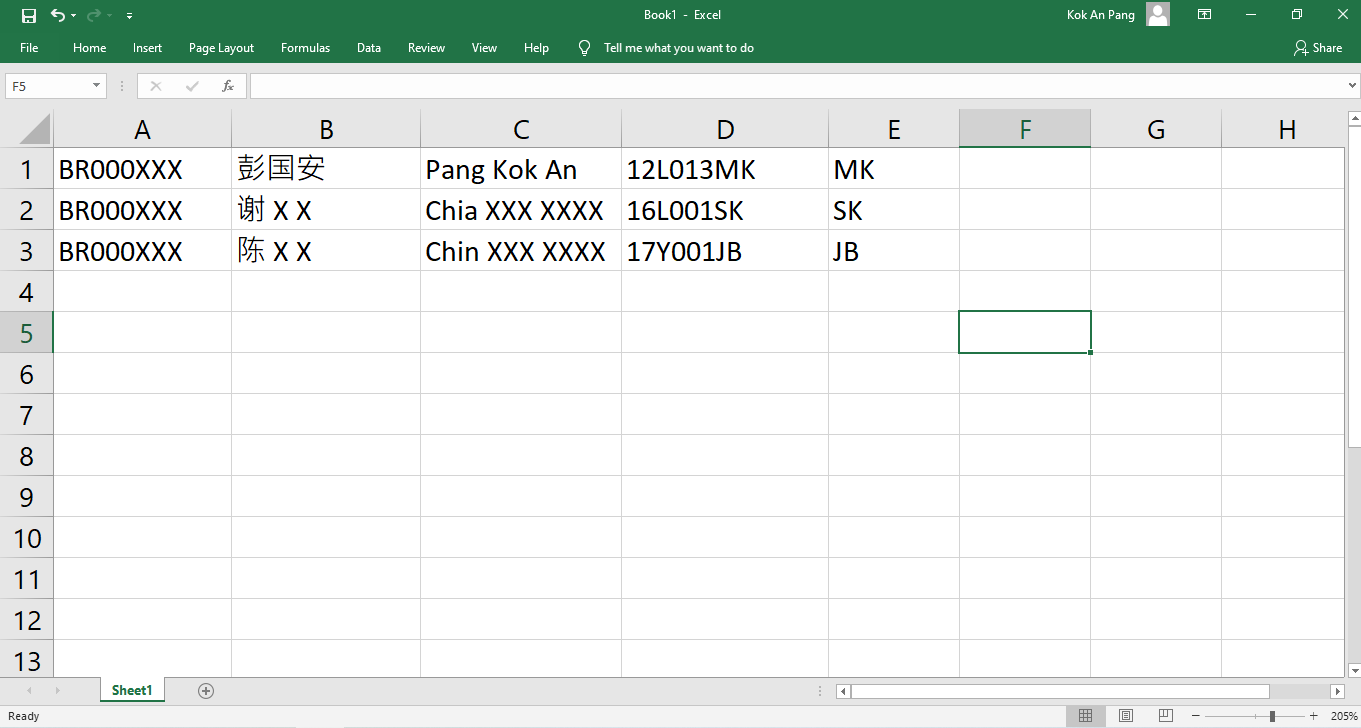
Prepare an Excel file (see Figure 1 Column 1: Student ID , Column 2: Chinese name , Column 3: English name , Column 4: Class , Column 5: Area code:
SK for SK - 雪隆ST for ST - 昔加末KG for KG - 居銮MK for MK - 马六甲SA for SA - 砂拉越PG for PG - 槟城MU for MU - 麻坡KN for KN - 甘马挽PK for PK - 北干那那JB for JB - 新山BG for BG - 武吉甘蜜IP for IP - 霹雳SG for SG - 新加坡OB for OB - 汶莱OH for OH - 香港ON for ON - 新西兰OT for OT - 台湾JH for JH - 柔佛PR for PR - 霹雳NS for NS - 森美兰KD for KD - 吉打PH for PH - 彭亨SB for SB - 沙巴TG for TG - 登嘉楼OK for OK - 英国OI for OI - 印尼OC for OC - 中国KT for KT - 哥打丁宜OU for OU - 美国XX for XX - 其他KA for KA - 巴生BP for BP - 峇株LS for LS - 拉美士MS for MS - 丰盛港SP for SP - 新邦令金YP for YP - 永平TB for TB - 地不佬MA for MA - 马西UT for UT - 乌鲁地南PN for PN - 笨珍KU for KU - 古来MM for MM - 帝雅园KB for KB - 哥文茶TH for TH - 泰国RR for RR - 玻璃市
Save the excel file as Unicode text (.txt) (see Figure 2
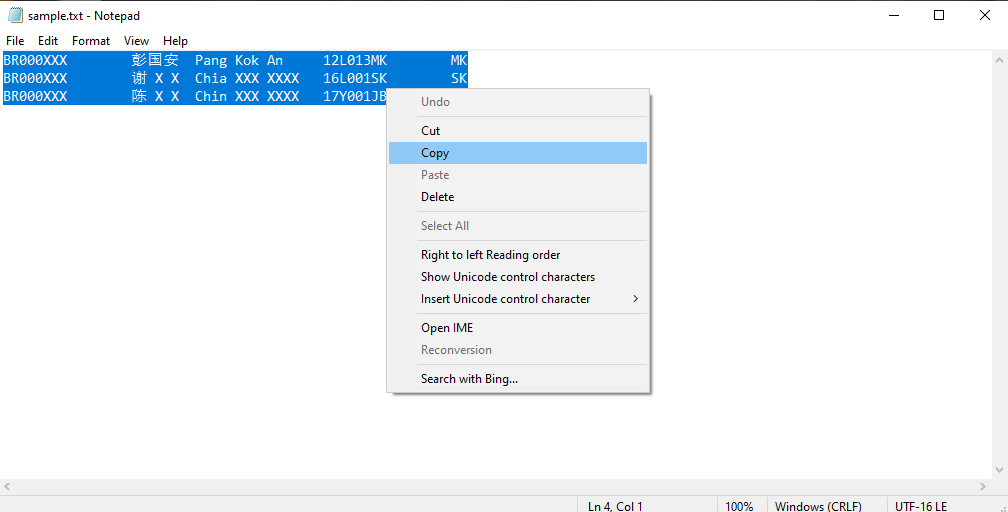
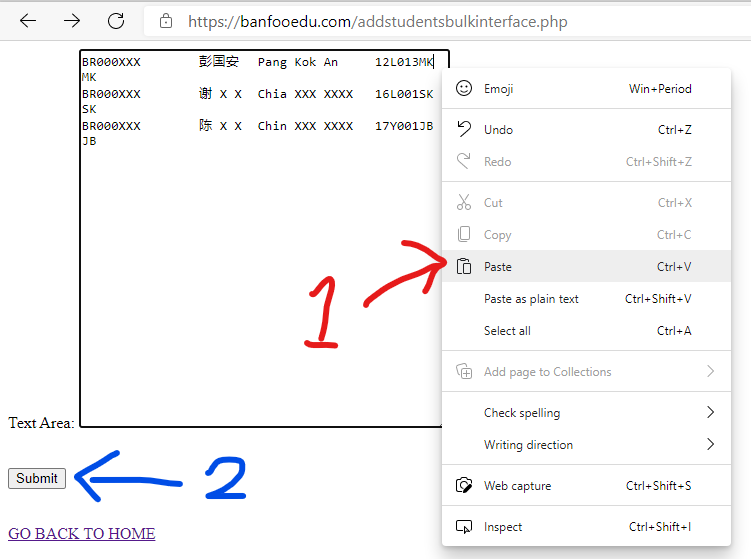
Open the saved text file, copy all the contents of the text file (see Figure 3 Figure 4 Submit then.
Figure 1 : Adding students using Excel file (Click the above image to enlarge) Go back to top Figure 2 : Save as Unicode text file. (Click the above image to enlarge) Go back to top Figure 3 : Copy contents from the saved text file. (Click the above image to enlarge) Go back to top Figure 4 : Paste contents from the saved text file. (Click the above image to enlarge) Go back to top